


温馨提示
InDesign 2026破解版下载完成后打开,打开精简版创意云根据电脑芯片选择安装pkg包(如果电脑上安装着ACC的请忽略此步骤)文章源自:知您网(zhiniw.com)知您网-https://www.zhiniw.com/indesign-2026-mac.html
安装与破解:
安装:“InDesign” 2026 mac破解软件镜像包下载完了后,”双击“inatall”,根据提示进行默认安装即可。
若1、不能打开“InDesign破解版”安装程序,并提示【“XXX”已损坏,无法打开。您应该将它移到废纸篓。】 ,如下图:

解决方法请接下往下看;
首先将“InDesign-2026-xxx By zhiniw.com” 复制,然后Mac桌面多了一个“Adobe InDesign 2026.……”文件夹;
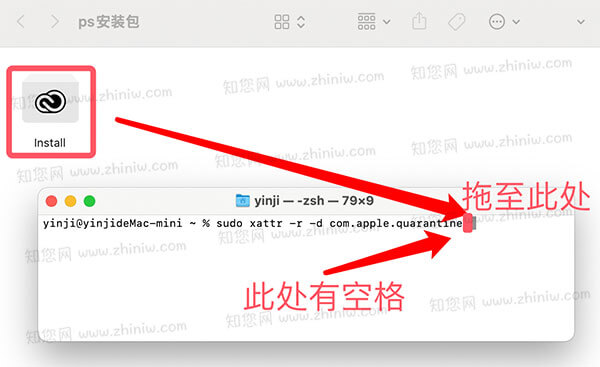
打开Mac电脑终端,输入sudo xattr -r -d com.apple.quarantine 加空格,把安装器拖到终端,按回车;
破解:待正常安装“InDesign” Mac破解版后,回到软件“InDesign”镜像包,双击“In破解补丁.pkg”,根据提示操作,就能完成“InDesign” Mac软件的破解!
软件介绍
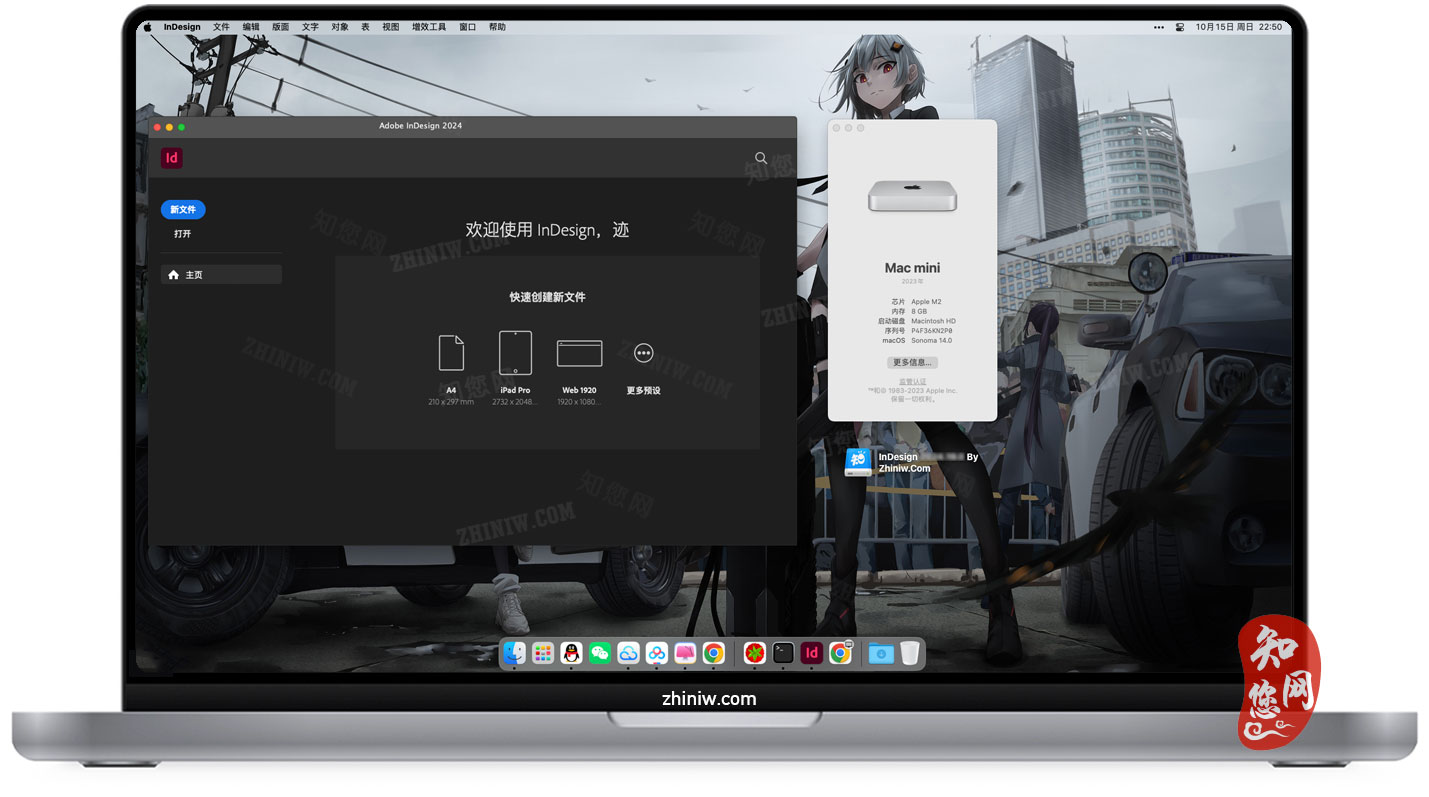
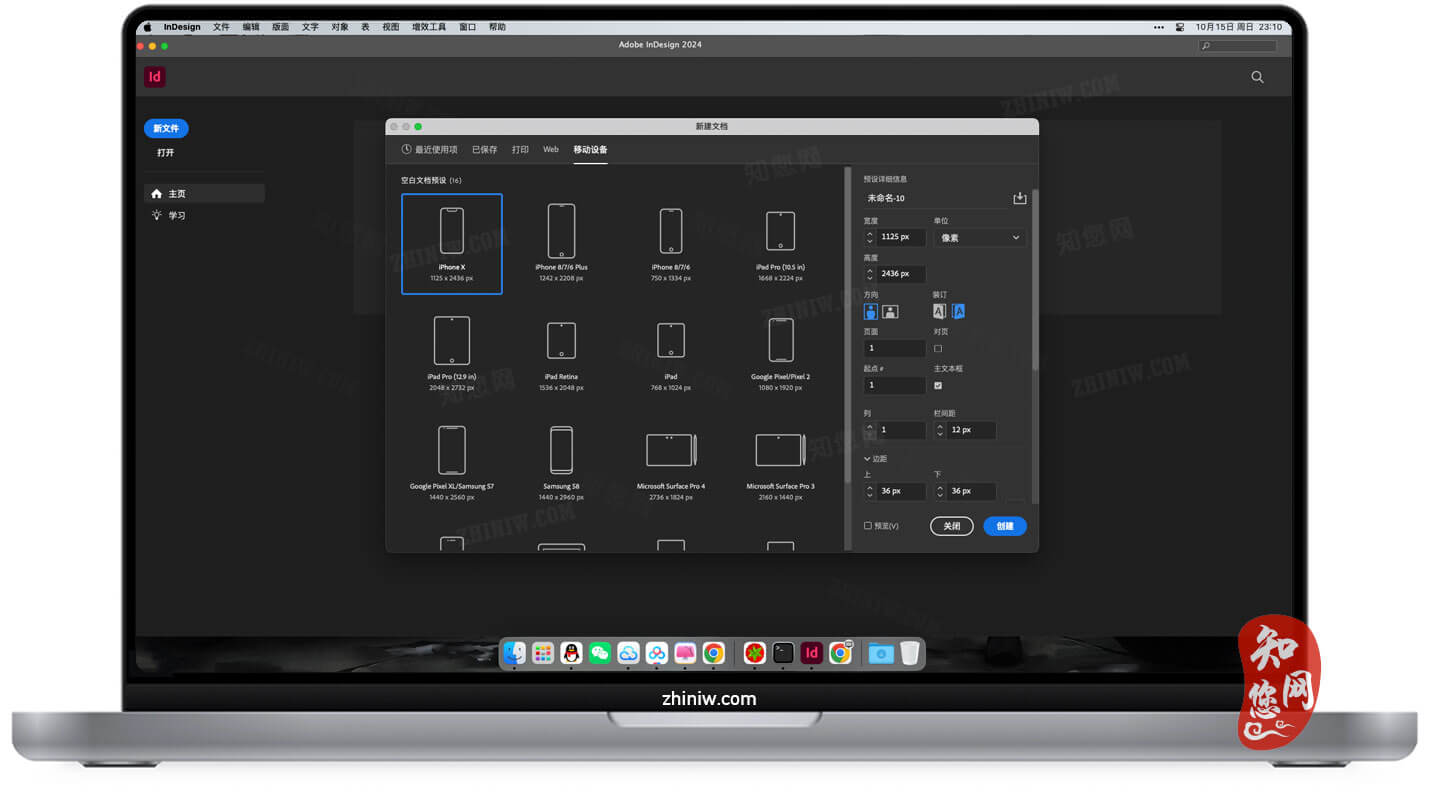
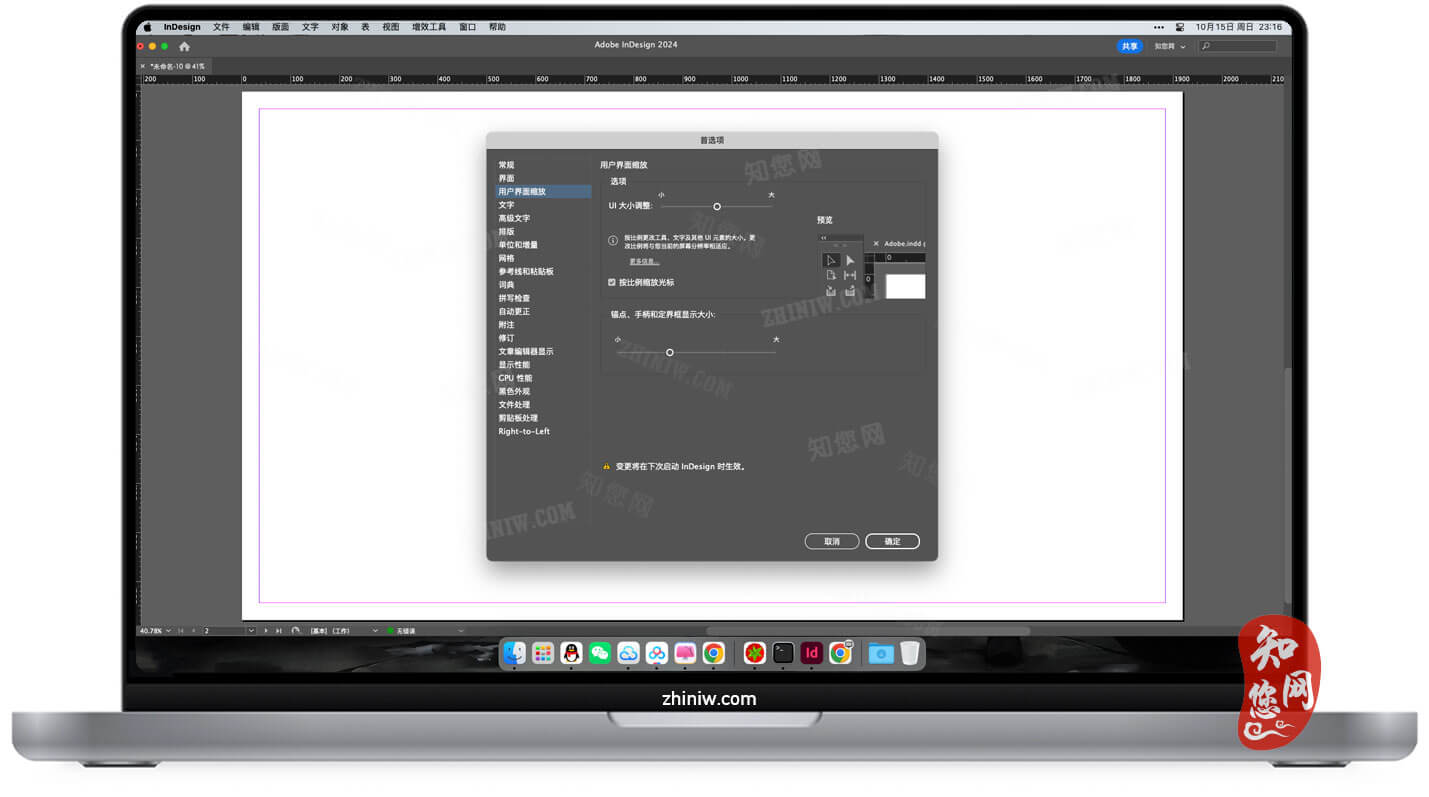
Adobe InDesign 2026 Mac破解版下载是知您网搜集到的Mac os系统上一款专业桌面出版与页面排版软件,InDesign 2026延续其行业级的页面设计能力,并加入更智能的自动排版、AI辅助布局、跨平台协同等能力,让创作者能以更高效率完成项目。无论你是一名出版社排版师、设计工作室成员,还是需要制作高质量版式的企业用户,InDesign 2026都能提供专业可靠的工具体系。
Adobe InDesign 2026 for Mac软件功能介绍
一、核心功能与优势
精细化排版控制
• 文字处理:支持 OpenType 字体的全部特性(如连笔、花体、小型大写字母),可精准调整字间距、行间距、字符缩放比例。新增“文本流智能适配”功能,当文本内容增减时,自动调整段落行距或分栏布局,避免手动调整文本框的繁琐操作。
• 多语言排版:内置 30+ 种语言的断字规则,适配中英文混排、右至左语言(如阿拉伯语)排版需求,确保不同语言在同一页面上的排版整齐美观。
• 样式系统升级:字符样式与段落样式面板新增“样式继承”功能,基于基础样式创建衍生样式(如“正文样式”衍生“正文强调样式”),修改基础样式时衍生样式自动同步更新,减少重复设置。新增“样式冲突检测”,当文本同时应用多个样式导致格式矛盾时,自动提示冲突点并提供解决方案。
图像与图形整合
• 无缝协作:可直接导入 Illustrator 矢量图形与 Photoshop 像素图像,且保留原始文件的图层结构,在 InDesign 中可直接编辑图形颜色、调整图像亮度对比度,无需跳转至其他软件。
• 智能链接:新增“媒体文件智能链接”,当外部源文件(如 AI 图形、PS 图片)更新时,InDesign 中的链接文件自动提示更新,点击即可同步最新版本,避免内容滞后。
• 图形编辑工具集:内置基础形状工具(矩形、圆形、多边形)、钢笔工具与路径编辑工具,可在排版文档内直接绘制或修改简单图形;支持图形“对齐与分布”功能,可按指定间距、居中对齐、边缘对齐等规则快速排列多个图形。
跨媒体输出支持
• 印刷格式:支持导出为高分辨率 pdf 文件,符合国际印刷标准(如 pdf/X-4:2010、PDF/X-5:2010)。
• 数字格式:支持导出为交互式 PDF、EPUB 等数字格式,支持嵌入视频、音频元素,为电子杂志、企业宣传手册等电子出版物增添多媒体内容。
• 网页格式:支持导出为 HTML 格式,导出时自动优化文本与图形的显示效果,确保在浏览器中正常渲染,适配网页版数字出版物需求。
二、AI 智能辅助功能
AI 排版方案生成(Layout AI)
• 支持“文本内容 + 风格指令→排版方案”的直接生成。用户导入文本内容(如文章、章节标题)并输入风格描述(如“简约商务风书籍内页,双栏布局,正文宋体,标题黑体”),AI 可生成 3-5 组完整的排版方案,包含页面布局、文本样式、图形位置,且方案可直接编辑调整。
AI 图文匹配与整合
• 集成 Adobe Firefly Image3 大模型,支持基于文本内容自动推荐匹配的插图或图标。例如排版“环保主题文章”时,AI 可自动推荐绿色植物、地球等相关矢量图标或图片,点击即可插入文档并自动适配页面布局。
• 新增“图文智能对齐”,插入图片后自动与周围文本对齐(如顶部对齐、居中对齐),且图片尺寸调整时文本自动重新排版,避免手动调整文本框的繁琐操作。
AI 文本优化与润色
• 新增“AI 文本润色”功能,可对文本进行语法纠错、语句优化(如调整长句为短句)、风格统一(如将口语化文本改为书面化文本),适配出版级文本质量要求。
• 支持“多语言自动翻译与排版”,可将中文文本自动翻译为英文、日文等语言,并同步调整文本样式与排版布局(如英文文本的字间距、行间距),避免翻译后格式错乱。
三、协作与效率提升
实时协作编辑
• 支持团队成员同时在线编辑同一个文档,实时查看彼此的操作,进行高效沟通和协作。
• 与 Creative Cloud Libraries 深度整合,方便团队共享和管理资源,设计师可以随时调用云端的素材库,保持项目风格的一致性。
跨软件协同
• 与 Photoshop、Illustrator 的协作更加流畅,设计师可以在 InDesign 中直接调用 Photoshop 的强大图像编辑功能,对导入的图片进行精细处理,如调整色彩、对比度、去除瑕疵等,而无需在两个软件之间频繁切换。
• 支持将 PDF 和 Illustrator 文件转换为可编辑的 InDesign 文档,同时保持设计的保真度。
云文档管理
支持无缝管理和共享云文档,用户不仅可以从主屏幕快速共享,还能使用更智能的 7 天同步功能进行离线访问,并通过协作式项目批量组织和共享资源。
在知您网(zhiniw.com),您免费下载的Adobe InDesign 2026 for Mac版不仅延续了其在精密排版、印前控制和长文档管理上的专业优势,更通过AI智能化与云端协作,将传统桌面出版带入高效、互联的新时代。无论是制作一本精装画册,还是快速产出社交媒体系列素材,InDesign 2026都以强大的功能生态和对 Apple 平台的深度适配,成为Mac创意专业人士不可或缺的核心工具。
文章源自:知您网(zhiniw.com)知您网-https://www.zhiniw.com/indesign-2026-mac.html
DESCRIPTION
Adobe InDesign 2026 for Mac (cracked version) is a professional desktop publishing and page layout software collected by Zhiniw.com for the Mac OS system. Building upon its industry-standard page design capabilities, InDesign 2026 introduces smarter automated layout, AI-assisted features, and cross-platform collaboration, enabling creators to complete projects with greater efficiency. Whether you are a publishing house layout artist, a member of a design studio, or a corporate user requiring high-quality formats, InDesign 2026 provides a professional and reliable toolset.
Adobe InDesign 2026 for Mac Software Features
I. Core Functions and Advantages
Precise Typesetting Control
• Text Handling: Supports the full range of OpenType font features (such as ligatures, swashes, and small caps), allowing for precise adjustment of character spacing, line spacing, and character scaling. The new "Text Flow Intelligent Adaptation" function automatically adjusts paragraph line spacing or column layouts when text content changes, eliminating the hassle of manually adjusting text boxes.
• Multi-Language Typesetting: Built-in hyphenation rules for over 30 languages cater to mixed Chinese-English typesetting and right-to-left language layouts (e.g., Arabic), ensuring neat and aesthetically pleasing layouts across languages on the same page.
• Enhanced Style System: The character and paragraph style panels now feature "Style Inheritance." Derivative styles (e.g., "Emphasis Style" derived from "Body Style") can be created from a base style; when the base style is modified, derivative styles automatically update, reducing repetitive adjustments. New "Style Conflict Detection" automatically identifies and suggests resolutions when text formatting conflicts arise from multiple applied styles.
Image and Graphic Integration
• Seamless Collaboration: Directly import Illustrator vector graphics and Photoshop pixel images while retaining the original file's layer structure. Edit graphic colors or adjust image brightness/contrast within InDesign without switching to other software.
• Smart Linking: New "Media File Smart Links" notify you within InDesign when external source files (like AI graphics or PS images) are updated. You can synchronize to the latest version with a click, preventing content lag.
• Graphic Editing Toolset: Includes built-in basic shape tools (rectangle, circle, polygon), pen tools, and path editing tools for drawing or modifying simple graphics directly within your layout document. Supports "Align and Distribute" functionality to quickly arrange multiple graphics by specified spacing, center alignment, or edge alignment.
Cross-Media Output Support
• Print Formats: Supports export to high-resolution PDF files compliant with international print standards (such as PDF/X-4:2010, PDF/X-5:2010).
• Digital Formats: Supports export to interactive PDF, EPUB, and other digital formats, allowing embedding of video and audio elements to enhance digital publications like e-magazines and corporate brochures.
• Web Formats: Supports export to HTML format. Text and graphics are automatically optimized during export to ensure proper rendering in browsers, meeting the needs of web-based digital publications.
II. AI Intelligent Assistant Features
AI Layout Generation (Layout AI)
• Supports direct "text content + style instruction → layout" generation. Users can import text content (e.g., articles, chapter headings) and input a style description (e.g., "Minimalist business-style book interior, two-column layout, body text in Song typeface, headings in Hei typeface"). The AI can generate 3-5 complete layout proposals, including page composition, text styles, and graphic placement, which are fully editable.
AI Image Matching and Integration
• Integrates Adobe Firefly Image 3, a large model that automatically recommends matching illustrations or icons based on text content. For example, when typesetting an "environmental-themed article," the AI can suggest relevant vector icons or images like green plants or Earth, which can be inserted and automatically adapted to the page layout with a click.
• New "Intelligent Text-Image Alignment" automatically aligns inserted images with surrounding text (e.g., top-align, center-align). Text reflows automatically when image dimensions are adjusted, avoiding the need for manual text box adjustments.
AI Text Optimization and Polishing
• New "AI Text Polishing" function performs grammar correction, sentence optimization (e.g., converting long sentences to short ones), and style unification (e.g., converting colloquial text to formal written text) to meet publishing-quality standards.
• Supports "Automatic Multi-Language Translation and Typesetting," automatically translating Chinese text into languages like English or Japanese while synchronously adjusting text styles and layout (e.g., character and line spacing for English text) to prevent formatting errors post-translation.
III. Collaboration and Efficiency Enhancement
Real-Time Collaborative Editing
• Supports multiple team members editing the same document online simultaneously, allowing real-time viewing of each other's actions for efficient communication and collaboration.
Cross-Software Synergy
• Collaboration with Photoshop and Illustrator is more seamless. Designers can directly utilize Photoshop's powerful image editing features within InDesign for fine-tuning imported images (e.g., adjusting colors, contrast, removing blemishes) without frequent switching between applications.
• Supports converting PDF and Illustrator files into editable InDesign documents while maintaining design fidelity.
Cloud Document Management
• Supports seamless management and sharing of cloud documents. Users can not only share quickly from the main screen but also use smarter 7-day syncing for offline access and batch organize and share resources through collaborative projects.
On Zhiniw.com (zhiniw.com), the free download of Adobe InDesign 2026 for Mac not only continues its professional strengths in precision typesetting, pre-press control, and long document management but also propels traditional desktop publishing into a new era of efficiency and connectivity through AI intelligence and cloud collaboration. Whether producing an exquisite art book or rapidly generating a series of social media assets, InDesign 2026, with its powerful functional ecosystem and deep adaptation to the Apple platform, has become an indispensable core tool for creative professionals on Mac。
文章源自:知您网(zhiniw.com)知您网-https://www.zhiniw.com/indesign-2026-mac.html
Adobe InDesign 2026 Mac软件下载历史版本
| 版本 | 下载 | 备用 | 密码 |
|---|---|---|---|
| 2.5.0(244) | 立即下载 | 其它下载地址 | ssay |
朋友,您好!
因“网盘”官方改了下载规则,打开页面提示要访问密码,请填入“ agtm ”(记住是:agtm )或 “ ssay ”(记住是:ssay ),给大家带来的不便,深表歉意!
2022.7.5 16.17
------------------------------
本站大部分下载资源收集于网络,只做学习和交流使用,版权归原作者所有。若您需要使用非免费的软件或服务,请购买正版授权并合法使用。本站发布的内容若侵犯到您的权益,请联系站长删除,我们将及时处理。
若下载失效,可以给我留言,小编看到消息,会尽快补链接!谢谢!