




温馨提示
注意:ZOC Terminal mac软件镜像包下载完后,务必将软件“ZOC Terminal”拖至mac应用程序中完成安装和运行;
“ZOC Terminal” Mac破解版成功后使用防火墙阻止传出网络连接,否则可能在使用过程中会提示注册码失效!!
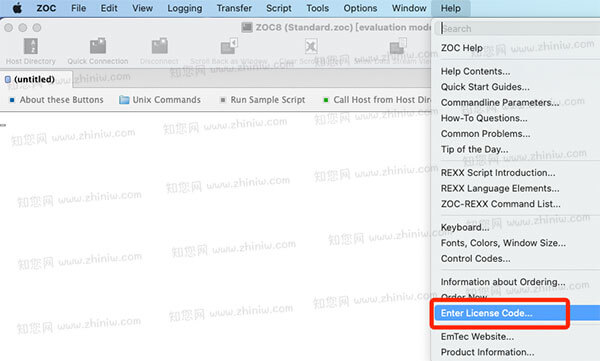
从Mac应用程序中打开软件“ZOC Terminal”,点击菜单栏Help->Enter License Code…
软件介绍
ZOC Terminal 9 Mac破解版下载是知您网搜集到的Mac os系统上一款集多协议支持、高效会话管理、自动化脚本、安全增强 于一体的专业终端工具。其现代化界面、高度可定制性和广泛兼容性,使其成为系统管理员、开发人员及运维人员的理想选择。无论是管理远程服务器、访问遗留系统,还是配置网络设备,ZOC Terminal 均能提供可靠、高效的解决方案。
ZOC 9 for Mac软件功能介绍
1. 多协议支持,连接灵活
• 全面覆盖通信协议:支持 SSH(基于 OpenSSH 9.3,兼容公钥/私钥认证、智能卡支持及端口转发)、Telnet、Rlogin、Modem、串口 RS232 等,满足不同场景下的远程访问需求。
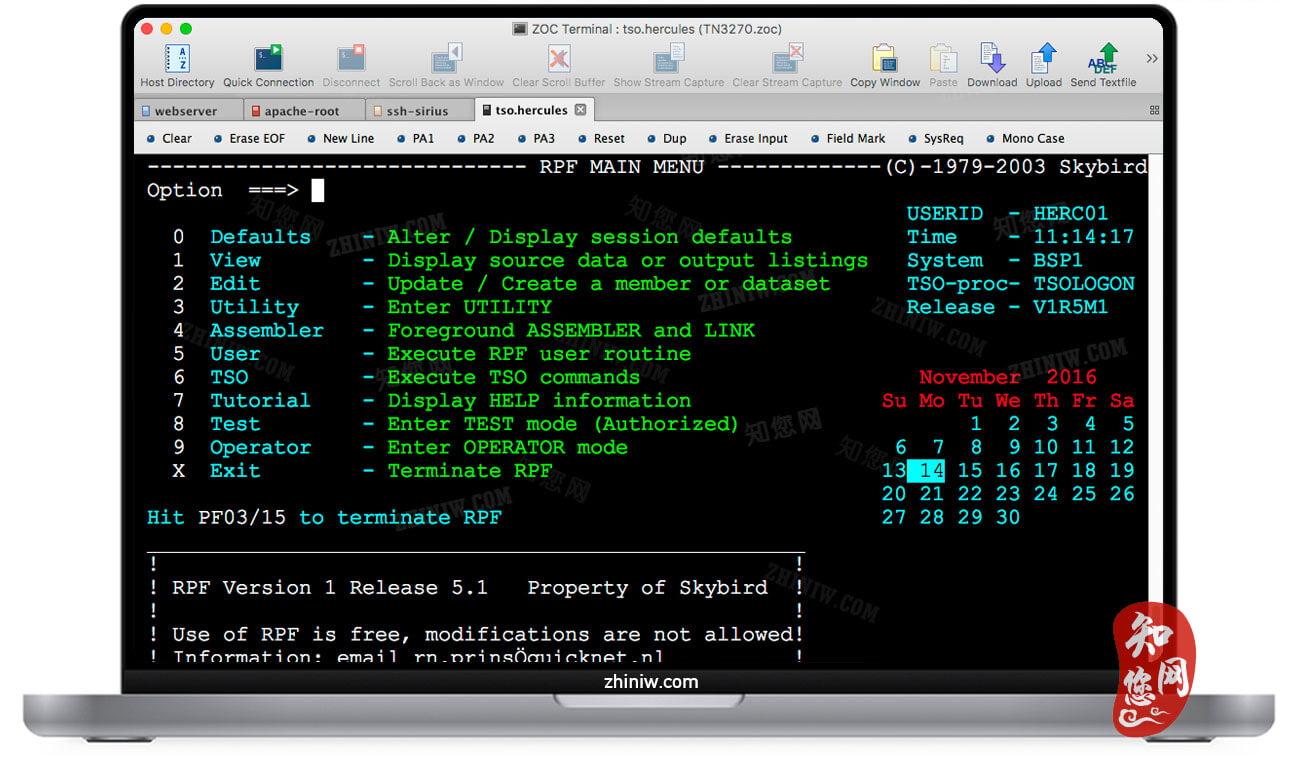
• 广泛终端仿真类型:兼容 xterm、VT220、TN3270、TN5250、Wyse、QNX 等 20+ 终端类型,确保与 Unix/Linux 服务器、IBM 主机及网络设备无缝对接。
2. 现代化界面,高效会话管理
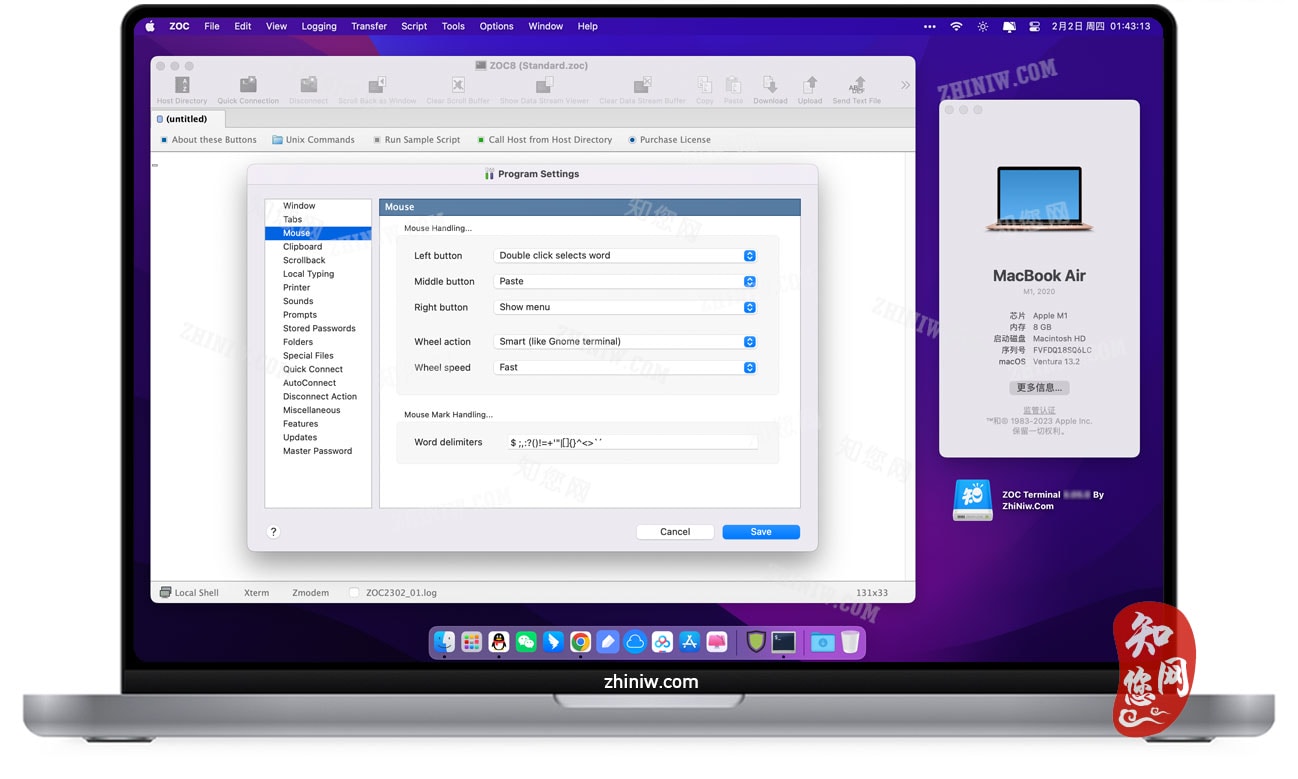
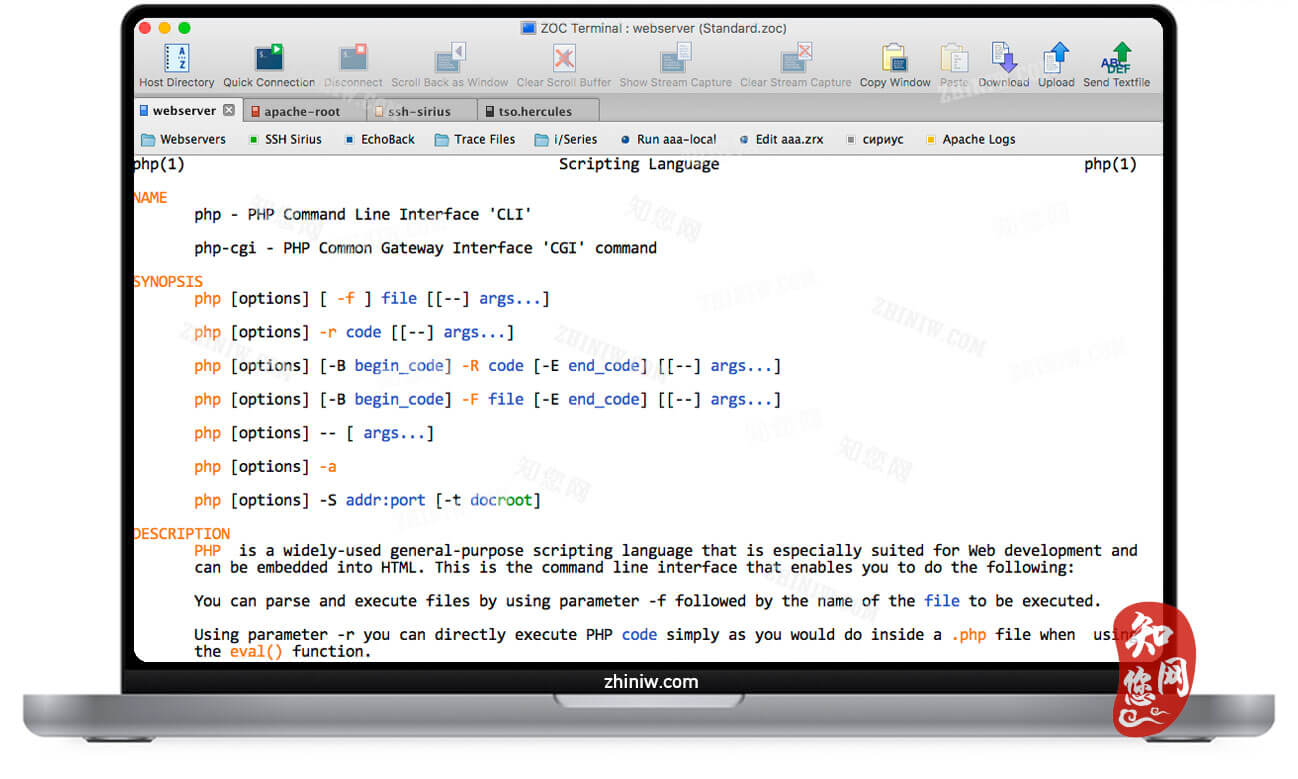
• 标签式会话与缩略图:支持多会话同时打开,通过缩略图预览快速切换,提升多任务处理效率。
• 地址簿与彩色编码:支持文件夹分类和彩色编码主机,便于组织和管理大量连接。
• 会话保存与复用:可保存常用会话配置,方便后续快速连接,节省重复配置时间。
3. 深度定制,满足个性化需求
• 高度可定制界面:支持全键盘重映射、自定义按钮栏、多窗口视图及滚动条设置,适应不同用户习惯。
• 独立会话配置文件:可为不同会话创建独立配置文件,自定义屏幕大小、字体颜色、按钮栏等参数。
• 系统级配置选项:提供打印机选择、警告消息激活、声音文件、自动连接参数等大量配置选项。
4. 强大自动化与脚本支持
• REXX 脚本语言:内置超过 200 条命令的全功能编程语言,支持自定义脚本自动化重复任务(如批量登录、命令执行)。
• 宏录制与自动动作:支持宏录制和自动触发操作,根据输入内容动态响应,优化工作流程。
• 外部脚本模块集成:支持外部 REXX 模块(如 RxSQL),扩展脚本功能。
5. 安全增强,保护数据隐私
• 工业级加密:支持 ED25519 SHA256、SHA2 或 AES-256ctr 等最新加密算法,确保通信安全。
• 硬件密钥支持:集成 YubiKey 等硬件密钥,提升身份验证安全性。
• 端口转发与隧道:支持 SSH 端口转发,实现加密数据传输,保护敏感信息。
6. 文件传输高效可靠
• 多协议支持:集成 SCP、SFTP、FTP/FTPS、Zmodem、Xmodem、Ymodem、Kermit 等协议,满足安全高效的数据交换需求。
• 临时文件传输优化:SCP、Zmodem 和 Kermit 下载文件时,先传输至临时文件,完成后再重命名,避免数据损坏。
7. 用户体验优化细节
• 自动高亮显示:自动突出显示关键文本(如错误日志),便于快速定位问题。
• 历史命令快速调用:支持命令历史记录,方便重复执行常用命令。
• 多语言与 Unicode 支持:支持更多 Unicode 字符(如 0x2580-0x259F 范围)及自定义 Unicode 字符(如 nerd-fonts)。
8. 管理员友好特性
• 简化部署与配置:支持管理员批量部署和配置,降低运维成本。
• 日志记录与回滚:提供向后滚动三个变量(窗口内、单独窗口、数据视图)的日志记录功能,便于审计和故障排查。
在知您网(zhiniw.com),您免费下载的ZOC Terminal 9 for Mac版,开启您的高效远程管理之旅。无论是开发运维、系统管理还是日常远程办公,ZOC Terminal都是您不可多得的强大助手。
文章源自:知您网(zhiniw.com)知您网-https://www.zhiniw.com/zoc-9-mac.html
DESCRIPTION
ZOC Terminal 9 for Mac (cracked version) is a professional terminal emulator collected by Zhiniw.com for the Mac OS system, integrating multi-protocol support, efficient session management, automation scripting, and enhanced security. Its modern interface, high customizability, and broad compatibility make it an ideal choice for system administrators, developers, and IT operations personnel. Whether managing remote servers, accessing legacy systems, or configuring network devices, ZOC Terminal provides a reliable and efficient solution.
ZOC Terminal 9 for Mac Software Features
1. Multi-Protocol Support, Flexible Connectivity
• Comprehensive Protocol Coverage: Supports SSH (based on OpenSSH 9.3, compatible with public/private key authentication, smart card support, and port forwarding), Telnet, Rlogin, Modem, serial RS232, and more, meeting remote access needs across various scenarios.
• Extensive Terminal Emulation: Compatible with 20+ terminal types including xterm, VT220, TN3270, TN5250, Wyse, and QNX, ensuring seamless connections with Unix/Linux servers, IBM mainframes, and network devices.
2. Modern Interface, Efficient Session Management
• Tabbed Sessions & Thumbnails: Supports opening multiple sessions simultaneously, with thumbnail previews for quick switching to enhance multitasking efficiency.
• Address Book & Color Coding: Supports folder-based categorization and color-coded hosts for easy organization and management of numerous connections.
• Session Saving & Reuse: Allows saving commonly used session configurations for quick subsequent connections, saving time on repeated setups.
3. Deep Customization to Meet Personalized Needs
• Highly Customizable Interface: Supports full keyboard remapping, custom button bars, multi-window views, and scrollbar settings to adapt to different user habits.
• Independent Session Profiles: Enables creating individual configuration files for different sessions, customizing parameters like screen size, font color, and button bars.
• System-Level Configuration Options: Provides extensive configuration choices including printer selection, warning message activation, sound files, and auto-connection parameters.
4. Powerful Automation & Scripting Support
• REXX Scripting Language: Built-in, full-featured programming language with over 200 commands, supporting custom scripts to automate repetitive tasks (e.g., batch logins, command execution).
• Macro Recording & Automatic Actions: Supports macro recording and automatically triggered operations that respond dynamically to input, optimizing workflows.
• External Script Module Integration: Supports integration with external REXX modules (e.g., RxSQL) to extend scripting capabilities.
5. Enhanced Security for Data Privacy Protection
• Industrial-Grade Encryption: Supports the latest encryption algorithms like ED25519 SHA256, SHA2, or AES-256ctr to ensure communication security.
• Hardware Key Support: Integrates with hardware keys like YubiKey to enhance authentication security.
• Port Forwarding & Tunneling: Supports SSH port forwarding to enable encrypted data transfer, protecting sensitive information.
6. Efficient and Reliable File Transfer
• Multi-Protocol Support: Integrates SCP, SFTP, FTP/FTPS, Zmodem, Xmodem, Ymodem, Kermit, and other protocols to meet secure and efficient data exchange needs.
• Temporary File Transfer Optimization: For SCP, Zmodem, and Kermit downloads, files are first transferred to a temporary location and renamed upon completion to prevent data corruption.
7. User Experience Optimization Details
• Automatic Highlighting: Automatically highlights key text (e.g., error logs) for quick problem identification.
• Quick Command History Recall: Supports command history for easy re-execution of frequently used commands.
• Multilingual & Unicode Support: Supports additional Unicode characters (e.g., range 0x2580-0x259F) and custom Unicode characters (e.g., nerd-fonts).
8. Administrator-Friendly Features
• Simplified Deployment & Configuration: Supports batch deployment and configuration by administrators, reducing operational costs.
• Logging & Rollback: Provides logging functionality with three-option rollback (within window, separate window, data view) for easy auditing and troubleshooting.
On Zhiniw.com (zhiniw.com), the free download of ZOC Terminal 9 for Mac opens the door to your efficient remote management journey. Whether for development operations, system administration, or daily remote office work, ZOC Terminal is a powerful and invaluable assistant.文章源自:知您网(zhiniw.com)知您网-https://www.zhiniw.com/zoc-9-mac.html 文章源自:知您网(zhiniw.com)知您网-https://www.zhiniw.com/zoc-9-mac.html
朋友,您好!
因“网盘”官方改了下载规则,打开页面提示要访问密码,请填入“ agtm ”(记住是:agtm )或 “ ssay ”(记住是:ssay ),给大家带来的不便,深表歉意!
2022.7.5 16.17
------------------------------
本站大部分下载资源收集于网络,只做学习和交流使用,版权归原作者所有。若您需要使用非免费的软件或服务,请购买正版授权并合法使用。本站发布的内容若侵犯到您的权益,请联系站长删除,我们将及时处理。
若下载失效,可以给我留言,小编看到消息,会尽快补链接!谢谢!