




温馨提示
“M芯片”若出现无法打开“PowerPhotos mac破解版”,请尝试右键勾选“Rosetta”,具体操作,请按:Apple Silicon M1|2 应用安装后运行闪退、打不开,点我直达!来设置。
软件介绍
知您网(zhiniw.com)为您倾心推荐Mac os系统必备照片管理工具——PowerPhotos Mac破解版下载,由TNT团队精心破解,助力您在多个Photos库中灵活管理图片资源,无需受限于单一庞大库的束缚。轻松切换,快速浏览,释放iCloud空间,告别内存冗余。
PowerPhotos Mac软件功能亮点
• 多库管理:允许您在多个Photos库中轻松管理图像,无需在“照片”应用中逐个打开。
• 节省iCloud空间:通过优化存储和分类,帮助用户有效节省iCloud存储空间。
• 重复图片检测:快速识别并删除重复图片,释放您的存储空间。
• 简单易用:界面直观,操作便捷,与照片应用无缝配合,提升您的图片管理效率。
PowerPhotos Mac版界面设计
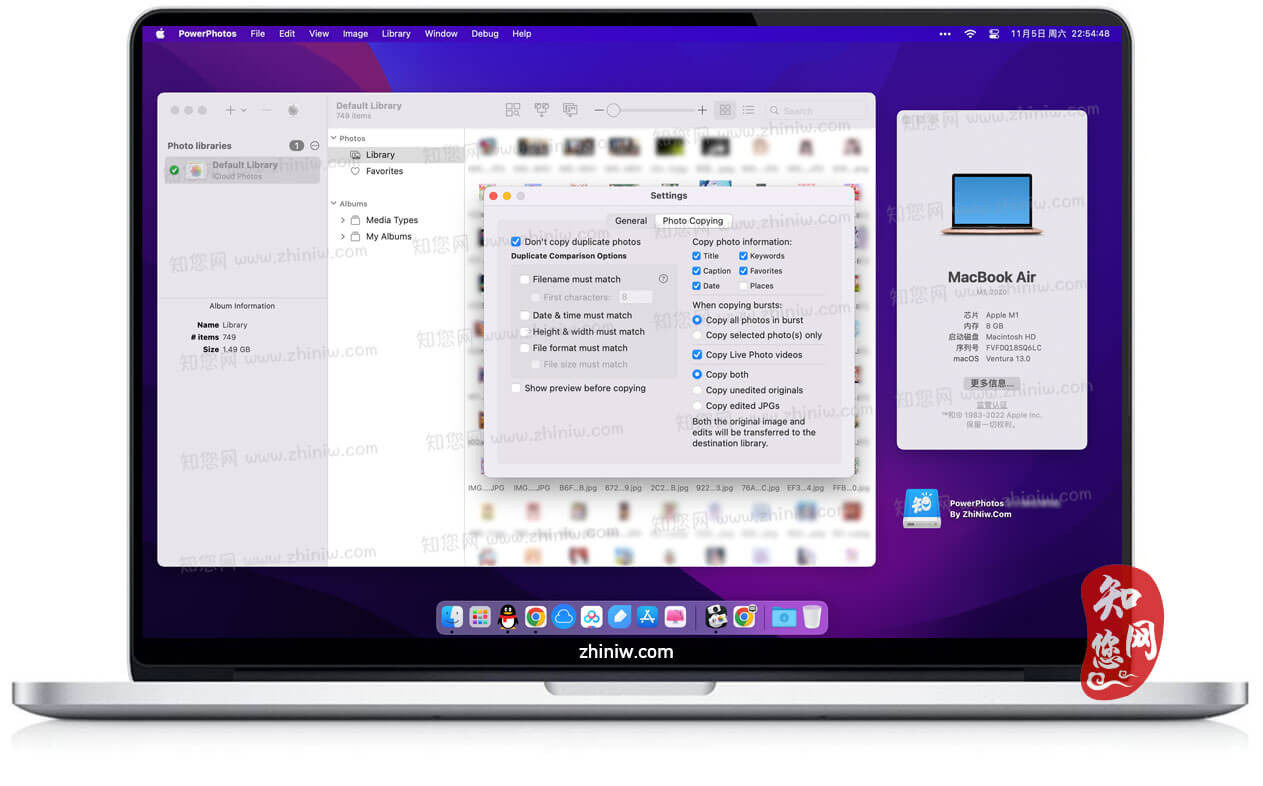
PowerPhotos Mac破解版的图标设计精美,寓意深远。应用启动后,会自动导入照片应用的图库,方便用户在多个图库间快速切换。左侧边栏清晰展示照片图库和操作选项,中间部分则可根据照片内容进行分类展示,最右侧直接呈现所有照片。
强大的导入与操作功能
PowerPhotos Mac破解版支持iPhoto照片库的自动检测与导入,用户还可以选择性导入或手动添加照片库。软件提供列表和网格两种模式,方便用户根据需求选择查看方式。此外,软件还支持查找相同照片以及直接打开系统照片应用的功能。
总得来说,PowerPhotos Mac软件下载是一款功能全面且易于使用的照片管理工具。无论您是专业摄影师还是普通用户,都可以通过它来更有效地管理和浏览您的照片库。现在就来知您网(zhiniw.com)下载体验吧!
PowerPhotos Mac软件功能特色
创建和管理多个库:
PowerPhotos允许您在多个照片库中拆分图像,而无需将所有图像存储在一个巨大的库中。这样可以帮助照片更快地打开,并给您提供更多的组织选项。您可以轻松地在库之间切换,或者直接从PowerPhotos浏览库中的照片,而无需在“照片”中打开每个库。
复制照片及其元数据:
通过简单的拖放功能,您可以复制相册和照片来分割图书馆。PowerPhotos将负责复制照片并保留其元数据,包括关键字、说明、标题、日期和最喜欢的状态。
合并照片库:
如果您有多个想要合并的照片库,PowerPhotos可以帮您实现。在这个过程中,它还可以清除重复的照片,让您得到更加整洁的库。
查找重复的照片:
随着时间的推移,很容易在同一张照片的多个副本中混入您的照片集。使用PowerPhotos的重复照片查找功能,您可以轻松地在库中找到并删除这些重复项。
浏览和搜索:
PowerPhotos提供了一个快速的图像浏览器,让您可以快速查看照片而不必打开它们。同时,它还支持详细的照片信息列表视图和在所有图书馆中进行即时搜索的功能。
迁移iPhoto/Aperture库:
如果您之前使用的是iPhoto或Aperture,并且有很多现有的库要迁移到照片应用,那么PowerPhotos将是您的得力助手。它可以自动帮助您完成这个漫长的迁移过程。
文章源自:知您网(zhiniw.com)知您网-https://www.zhiniw.com/powerphotos-mac.html
DESCRIPTION
PowerPhotos Crack allows you to break up your Photos.app images among multiple Photos libraries, rather than having to store all of them in one giant library. You can easily switch between libraries, or just browse the photos in your libraries directly from PowerPhotos, without having to open each library in Photos.
PowerPhotos also supports searching across all your libraries at once to help track down a particular photo. If you use iCloud Photo Library to sync photos with your other devices, splitting up your library can help save on iCloud storage costs. Use a single library to hold a smaller collection that you sync with iCloud, while keeping the bulk of your photos in separate libraries so they don’t take up space on iCloud. PowerPhotos can analyze your libraries for duplicate photos, showing them to you side-by-side and letting you get rid of extra copies of photos that you no longer need.
WHAT’S NEW
Version 3.2:
Added support for moving photos (instead of copying) from one album to another within a library, by holding down the command key while dragging. The photos will be added to the destination album and removed from the source album.
The report shown for an export now shows a specific column for items that were missing.
Fixed the “Keyboard Shortcuts” help menu item to load the correct help page.
When moving (not copying) a set of photos to another library, if all the photos are skipped because they’re duplicates, they will now be deleted from the source library the same as if they had been copied to the destination library first
Increased the maximum image zoom size for list view.
Fixed a hang that would occur when trying to convert an iPhoto library to an unsupported destination drive.
Fixed a bug where photo editing controls weren’t shown in the inspector when selecting multiple photos in a sorted album.
Renamed RAW export options to be clearer, now shows the selected format (e.g. “JPG with metadata”)
Fixed photo titles appearing blank when batch editing with an empty title template
Added a page to the PowerPhotos manual describing how it interacts with the “Shared With You” feature in Messages.
Cancelling or pausing a merge during the library indexing phase now works correctly.
文章源自:知您网(zhiniw.com)知您网-https://www.zhiniw.com/powerphotos-mac.html
PowerPhotos Mac软件下载历史版本
文章源自:知您网(zhiniw.com)知您网-https://www.zhiniw.com/powerphotos-mac.html
| 版本 | 系统 | 下载 | 密码 |
|---|---|---|---|
| 3.2.2(3142) | macOS 14.0或更高 | 立即下载 | ssay |
| 3.2(3131) | macOS 14.0或更高 | 立即下载 | ssay |
| 3.1(3108) | macOS 14.0或更高 | 立即下载 | ssay |
| 3.0.12(3102) | macOS 14.0或更高 | 立即下载 | ssay |
| 3.0.1(3011) | macOS 12.0或更高 | 立即下载 | ssay |
| 2.7.8(2139) | macOS 12.0或更高 | 立即下载 | ssay |
| 2.1.7b2(1953) | macOS 11.0或更高 | 立即下载 | ssay |
| 2.1.6b1(1938) | macOS 11.0或更高 | 立即下载 | ssay |
文章源自:知您网(zhiniw.com)知您网-https://www.zhiniw.com/powerphotos-mac.html 文章源自:知您网(zhiniw.com)知您网-https://www.zhiniw.com/powerphotos-mac.html
朋友,您好!
因“网盘”官方改了下载规则,打开页面提示要访问密码,请填入“ agtm ”(记住是:agtm )或 “ ssay ”(记住是:ssay ),给大家带来的不便,深表歉意!
2022.7.5 16.17
------------------------------
本站大部分下载资源收集于网络,只做学习和交流使用,版权归原作者所有。若您需要使用非免费的软件或服务,请购买正版授权并合法使用。本站发布的内容若侵犯到您的权益,请联系站长删除,我们将及时处理。
若下载失效,可以给我留言,小编看到消息,会尽快补链接!谢谢!