


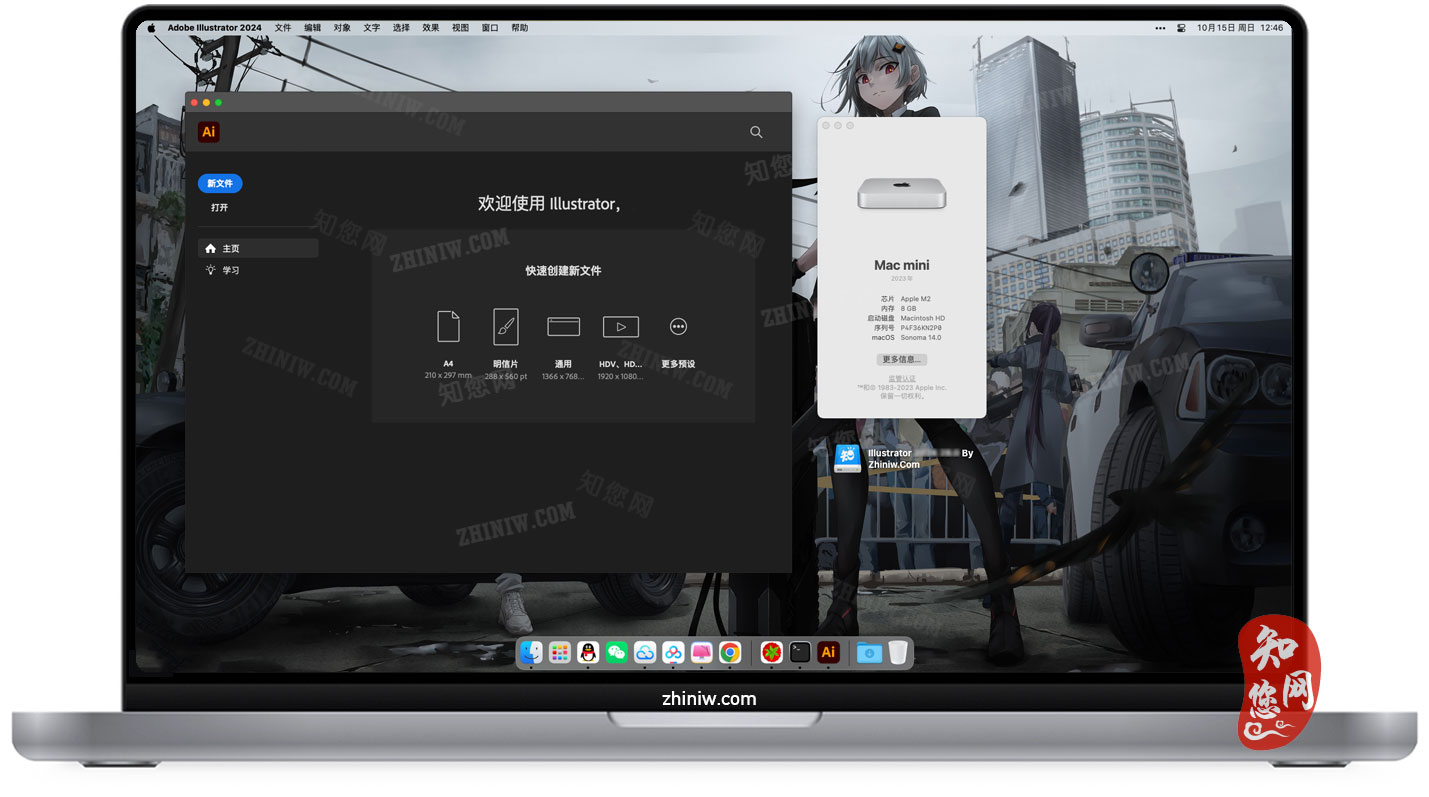
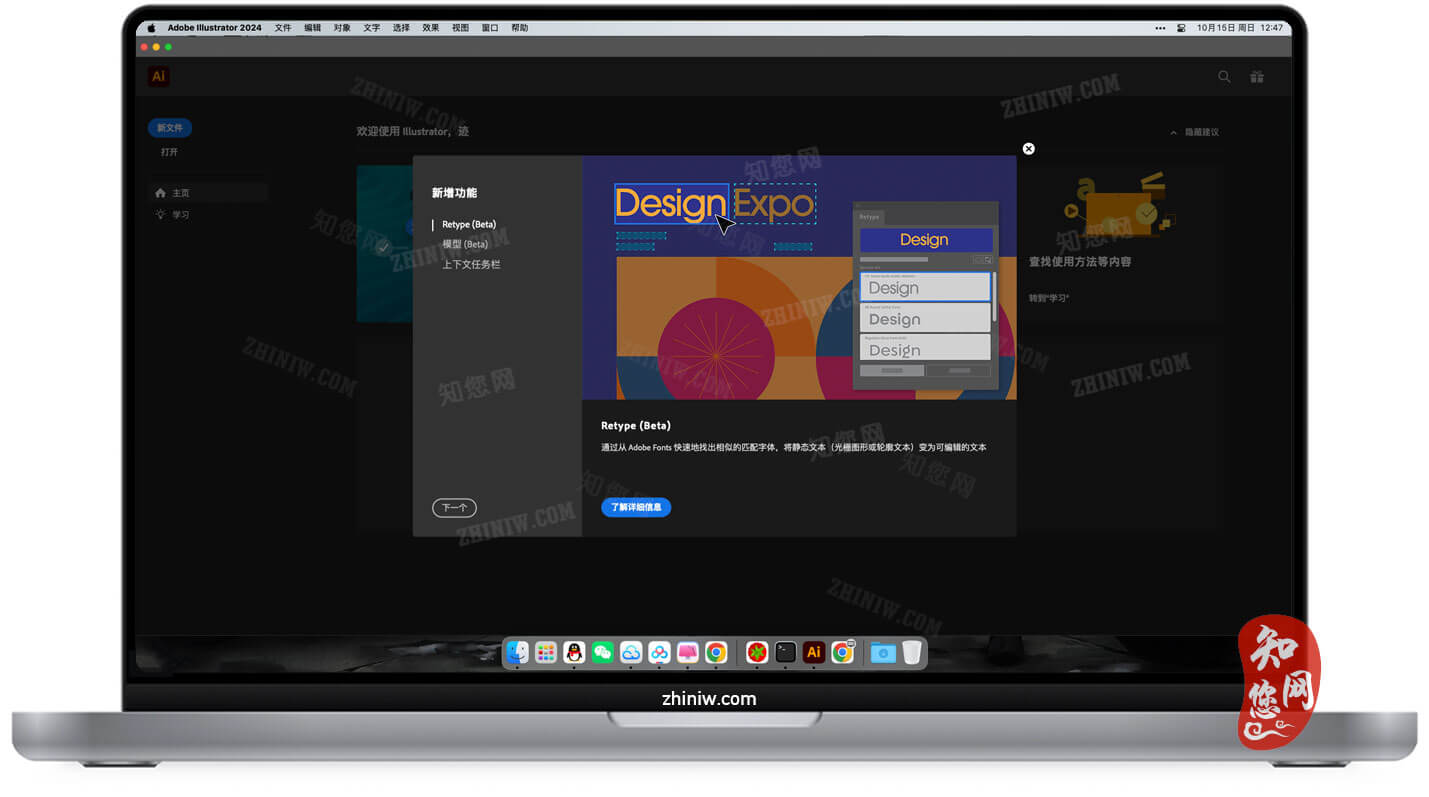

温馨提示
Illustrator 2026破解版下载完成后打开,打开精简版创意云根据电脑芯片选择安装pkg包(如果电脑上安装着ACC的请忽略此步骤)文章源自:知您网(zhiniw.com)知您网-https://www.zhiniw.com/illustrator-2026-mac.html
安装与破解:
安装:“Illustrator” mac破解软件镜像包下载完了后,双击“inatall”,根据提示进行默认安装即可。
若1、不能打开“Illustrator破解版”安装程序,并提示【“XXX”已损坏,无法打开。您应该将它移到废纸篓。】 ,如下图:

解决方法请接下往下看;
首先将“AI镜像安装包” 复制,然后Mac桌面多了一个“Adobe Illustrator 2026.……”文件夹;
打开Mac电脑终端,输入sudo xattr -r -d com.apple.quarantine 加空格,把安装器拖到终端,按回车;
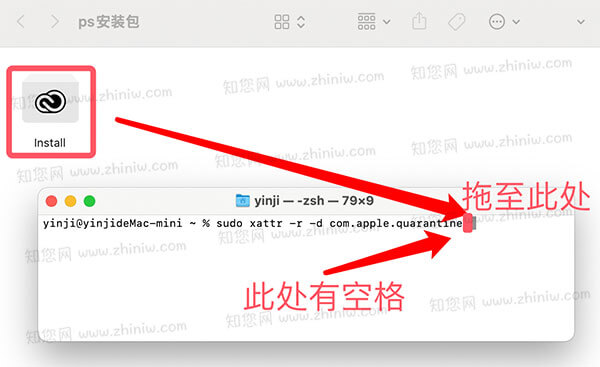
完整的Mac终端命令如下:文章源自:知您网(zhiniw.com)知您网-https://www.zhiniw.com/illustrator-2026-mac.htmlsudo xattr -r -d com.apple.quarantine /Users/您的Mac电脑用户名/Desktop/Adobe Illustrator 2026.……/Install.app
回车,出现Password,输入电脑开机密码,密码不显示,输入即可回车
破解:待正常安装“Illustrator” Mac破解版后,回到软件“Illustrator”安装包,双击“AI破解补丁.pkg”,根据提示操作,就能完成“Illustrator” Mac软件的破解!
软件介绍
Adobe Illustrator (简称:Adobe AI) 2026 Mac破解版下载是知您网搜集到Mac os系统上一款由Adobe公司开发的行业标准矢量图形设计软件。作为专业设计师和插画师的创意工具,它能够创作从品牌标识、复杂插画到网页元素的各类可无限缩放而不失真的矢量图形。该版本深度集成了Adobe Firefly的生成式AI功能,支持通过文字描述智能生成矢量图稿,并升级了字体浏览器、渐变与色彩控制工具,使工作流程更加流畅高效。
Illustrator 2026 for Mac软件功能介绍
一、核心优势
1、深度优化 Mac 性能
• 芯片适配:针对 Apple Silicon M 和 Intel 芯片进行原生优化,启动速度更快,渲染更稳定,复杂文件处理(如超大型画板、1000+ 图层)时内存占用降低 25%,画布缩放和平移无卡顿。
• 图形加速:利用 macOS Metal 图形技术,导出 pdf 文件速度提升 40%,配合 ProMotion 高刷屏幕(如 MacBook Pro),操作体验丝滑流畅。
2、智能化设计工具
• AI 矢量生成:通过文本指令直接生成矢量图形(如“简约线性咖啡杯 LOGO”),AI 生成的方案保留锚点、路径和图层结构,可直接用钢笔工具调整细节,适配品牌微调需求。
• AI 图案与纹理生成:基于文本或现有图形生成无缝矢量图案(如几何条纹、水墨肌理),支持自定义密度、颜色和方向;照片纹理可自动转换为矢量纹理,缩放无损失。
• AI 路径优化与修复:上传位图后,AI 能精准提取轮廓并优化锚点数量(减少冗余锚点 30%-50%),自动修复破损路径(如缺口、重叠),无需手动拼接。
3、高效协作与生态整合
• Creative Cloud 同步:支持多设备实时同步(桌面与 iPad 端无缝切换),文件变更历史可回溯,协作项目支持评论与标注;一键导出资源至 Photoshop、After Effects 等 Adobe 应用。
• 跨软件协作:与 Photoshop 实现双向深度协同——PS 中的像素图像可直接导入 AI 并转换为矢量图形,AI 中的矢量元素导入 PS 后保留分层结构,支持继续添加像素效果。
二、功能亮点
1、矢量绘图与设计工具升级
• 钢笔工具:新增“智能锚点预测”功能,绘制曲线时自动预判锚点位置,减少后期调整工作量。
• 形状工具:扩展至 20 余种预设(含弧形、星形、多边形变体),支持拖拽顶点实时调整形态,所有形状保留矢量属性,缩放不失真。
• 描边系统:新增“动态宽度”功能,可按路径走向自动调整描边粗细(如线条转角处加粗),配合“虚线样式生成器”,一键创建符合品牌规范的装饰线条。
2、高级文本处理与排版
• 字体管理:增强型字体浏览器通过更清晰的分类和新的过滤器,快速查找所需字体,并从海量 Adobe Fonts 字体库中发现更多创意选择;支持多语言排版与右到左文本布局(如阿拉伯语、希伯来语)。
• 排版功能:新增可变字体(Variable Fonts)与动态排版预览,“智能对齐网格”与“自动基线调整”功能让排版更精准美观,适合品牌设计、宣传册排版、网页原型制作。
3、多图层管理与组织
• 图层面板:支持无限层级图层嵌套与智能分组,新增“图层用途标签”(如“背景层”“元素层”“文本层”),可按标签快速筛选图层;图层属性面板集成“透明度蒙版”与“剪切蒙版”一键转换功能,复杂蒙版编辑效率提升 40%。
• 画板管理:支持超大规模画板项目,多画板间切换更快,适合制作完整品牌体系或 UI 设计稿;右键单击即可复制、重命名、锁定、导出和组织画板,所有操作在一处完成。
4、色彩管理与渐变增强
• 渐变工具:新增“3D 径向渐变”,可模拟球体、圆柱体等立体光影效果,渐变过渡精度提升至 1024 级,色彩衔接更自然;渐变仿色功能可对渐变应用仿色处理,最大限度减少色阶断层,创建平滑的渐变混合效果。
• 颜色选择器:集成 Adobe Color 引擎,支持从图片提取配色方案并生成可编辑色板;在应用颜色前可快速取样和预览,轻松捕获精确色调。
三、适用场景
1、品牌视觉设计:精准绘图工具和灵活的颜色控制,可创建可缩放不失真的企业标识,确保在不同应用场景中保持一致形象。
2、插画创作:丰富的画笔工具和色彩功能,支持从简约到复杂风格的各种数字插画作品创作。
3、UI/UX 设计:提供完善的工具集用于创建用户界面元素和网页图形,切片功能可将设计稿转换为适用于 Web 的小尺寸文件。
4、印刷出版:集成“出血与裁切线自动生成”功能,按印刷尺寸一键添加 3mm-5mm 出血位;“色彩模式检测”可实时提示 RGB 色彩区域,避免印刷时出现偏色;支持导出 pdf/X-4 标准文件,满足高端印刷精度要求。
在知您网(zhiniw.com),不仅延续了其作为“矢量设计金标准”的专业基因,更通过生成式AI与Apple Silicon深度融合,重新定义了创意工作流。无论是从零生成品牌图标,还是优化复杂插画路径,AI都成为设计师的智能协作者。对于追求效率、精度与创新的Mac创意专业人士而言,Illustrator 2026仍是构建视觉世界的基石工具。
文章源自:知您网(zhiniw.com)知您网-https://www.zhiniw.com/illustrator-2026-mac.html
DESCRIPTION
Adobe Illustrator (commonly known as Adobe AI) 2026 for Mac (cracked version) is an industry-standard vector graphic design software developed by Adobe, collected by Zhiniw.com for the Mac OS system. As a creative tool for professional designers and illustrators, it enables the creation of infinitely scalable vector graphics—from brand logos and complex illustrations to web elements—without loss of quality. This version deeply integrates Adobe Firefly's generative AI capabilities, supporting the intelligent generation of vector artwork from text descriptions. Upgraded features like the font browser, gradient, and color control tools further streamline and enhance the workflow.
Illustrator 2026 for Mac Software Features
I. Core Advantages
1. Deeply Optimized Mac Performance
• Chip Adaptation: Natively optimized for both Apple Silicon M-series and Intel chips, resulting in faster launch speeds and more stable rendering. Memory usage is reduced by 25% when handling complex files (e.g., oversized artboards, 1000+ layers), with no lag during canvas zooming or panning.
• Graphics Acceleration: Leverages macOS Metal graphics technology to boost PDF export speeds by 40%. Combined with ProMotion high-refresh-rate displays (like on MacBook Pro), the user experience is smooth and fluid.
2. Intelligent Design Tools
• AI Vector Generation: Generates vector graphics directly from text prompts (e.g., "minimalist linear coffee cup LOGO"). AI-generated proposals retain editable anchor points, paths, and layer structures, allowing for direct refinement with tools like the Pen Tool to suit brand fine-tuning needs.
• AI Pattern & Texture Generation: Creates seamless vector patterns based on text or existing graphics (e.g., geometric stripes, ink-texture effects), with customizable density, color, and direction. Photo textures can be automatically converted into scalable vector textures.
• AI Path Optimization & Repair: Uploads bitmap images for precise contour extraction and optimized anchor point reduction (by 30%-50%), automatically repairing broken paths (e.g., gaps, overlaps) without manual splicing.
3. Efficient Collaboration & Ecosystem Integration
• Creative Cloud Sync: Supports real-time synchronization across multiple devices (seamless switching between desktop and iPad). File version history is traceable, and collaborative projects support comments and annotations. Resources can be exported with one click to other Adobe apps like Photoshop and After Effects.
• Cross-Software Collaboration: Enables deep two-way synergy with Photoshop—pixel images from PS can be imported into AI and converted to vectors, while vector elements from AI retain layered structures when imported into PS for further pixel-effect editing.
II. Feature Highlights
1. Enhanced Vector Drawing & Design Tools
• Pen Tool: New "Smart Anchor Point Prediction" feature anticipates anchor point positions when drawing curves, reducing later adjustment work.
• Shape Tools: Expanded to over 20 presets (including arcs, stars, polygon variants), supporting real-time shape adjustment by dragging vertices. All shapes retain vector properties for lossless scaling.
• Stroke System: New "Dynamic Width" feature automatically adjusts stroke thickness along a path (e.g., thickening at corners). Combined with the "Dashed Style Generator," it allows one-click creation of decorative lines that meet brand guidelines.
2. Advanced Text Handling & Typesetting
• Font Management: The enhanced font browser features clearer categories and new filters for quick font discovery, offering more creative choices from the vast Adobe Fonts library. Supports multilingual typesetting and right-to-left text layouts (e.g., Arabic, Hebrew).
• Typesetting Features: New support for Variable Fonts with dynamic previews. "Smart Grid Alignment" and "Automatic Baseline Adjustment" ensure precise, aesthetically pleasing layouts suitable for brand design, brochure typesetting, and web prototyping.
3. Multi-Layer Management & Organization
• Layers Panel: Supports infinite nested layers and smart grouping. New "Layer Purpose Labels" (e.g., "Background," "Elements," "Text") allow quick filtering by label. The integrated panel offers one-click conversion between "Transparency Masks" and "Clipping Masks," boosting complex mask editing efficiency by 40%.
• Artboard Management: Supports large-scale multi-artboard projects with faster switching between artboards, ideal for creating complete brand systems or UI design drafts. Right-click for copying, renaming, locking, exporting, and organizing artboards—all in one place.
4. Color Management & Gradient Enhancement
• Gradient Tool: New "3D Radial Gradient" simulates lighting effects on spheres, cylinders, and other 3D forms. Gradient transition precision is increased to 1024 levels for smoother color blends. Dithering functionality minimizes color banding to create smooth gradient mixes.
• Color Picker: Integrates the Adobe Color engine to extract color schemes from images and generate editable swatches. Quick sampling and previewing before application allows for easy capture of precise tones.
III. Applicable Scenarios
1. Brand Visual Design: Precise drawing tools and flexible color control enable the creation of scalable, distortion-free corporate logos, ensuring consistent branding across various applications.
2. Illustration Creation: Rich brush tools and color features support the creation of digital illustrations ranging from minimalist to complex styles.
3. UI/UX Design: Provides a comprehensive toolkit for creating user interface elements and web graphics. The slice function converts designs into web-optimized, smaller-sized files.
4. Print Publishing: Integrated "Auto Bleed & Crop Marks" feature adds 3mm-5mm bleed areas with one click based on print dimensions. "Color Mode Detection" alerts users to RGB color areas in real-time to prevent color shifts during printing. Supports export to PDF/X-4 standard files, meeting high-end print precision requirements.
On Zhiniw.com (zhiniw.com), this version not only continues Illustrator's professional legacy as the "gold standard in vector design" but also redefines the creative workflow through deep integration of generative AI and Apple Silicon. Whether generating brand icons from scratch or optimizing paths for complex illustrations, AI acts as an intelligent collaborator for designers. For Mac creative professionals pursuing efficiency, precision, and innovation, Illustrator 2026 remains the foundational tool for building visual worlds.文章源自:知您网(zhiniw.com)知您网-https://www.zhiniw.com/illustrator-2026-mac.html 文章源自:知您网(zhiniw.com)知您网-https://www.zhiniw.com/illustrator-2026-mac.html
朋友,您好!
因“网盘”官方改了下载规则,打开页面提示要访问密码,请填入“ agtm ”(记住是:agtm )或 “ ssay ”(记住是:ssay ),给大家带来的不便,深表歉意!
2022.7.5 16.17
------------------------------
本站大部分下载资源收集于网络,只做学习和交流使用,版权归原作者所有。若您需要使用非免费的软件或服务,请购买正版授权并合法使用。本站发布的内容若侵犯到您的权益,请联系站长删除,我们将及时处理。
若下载失效,可以给我留言,小编看到消息,会尽快补链接!谢谢!